
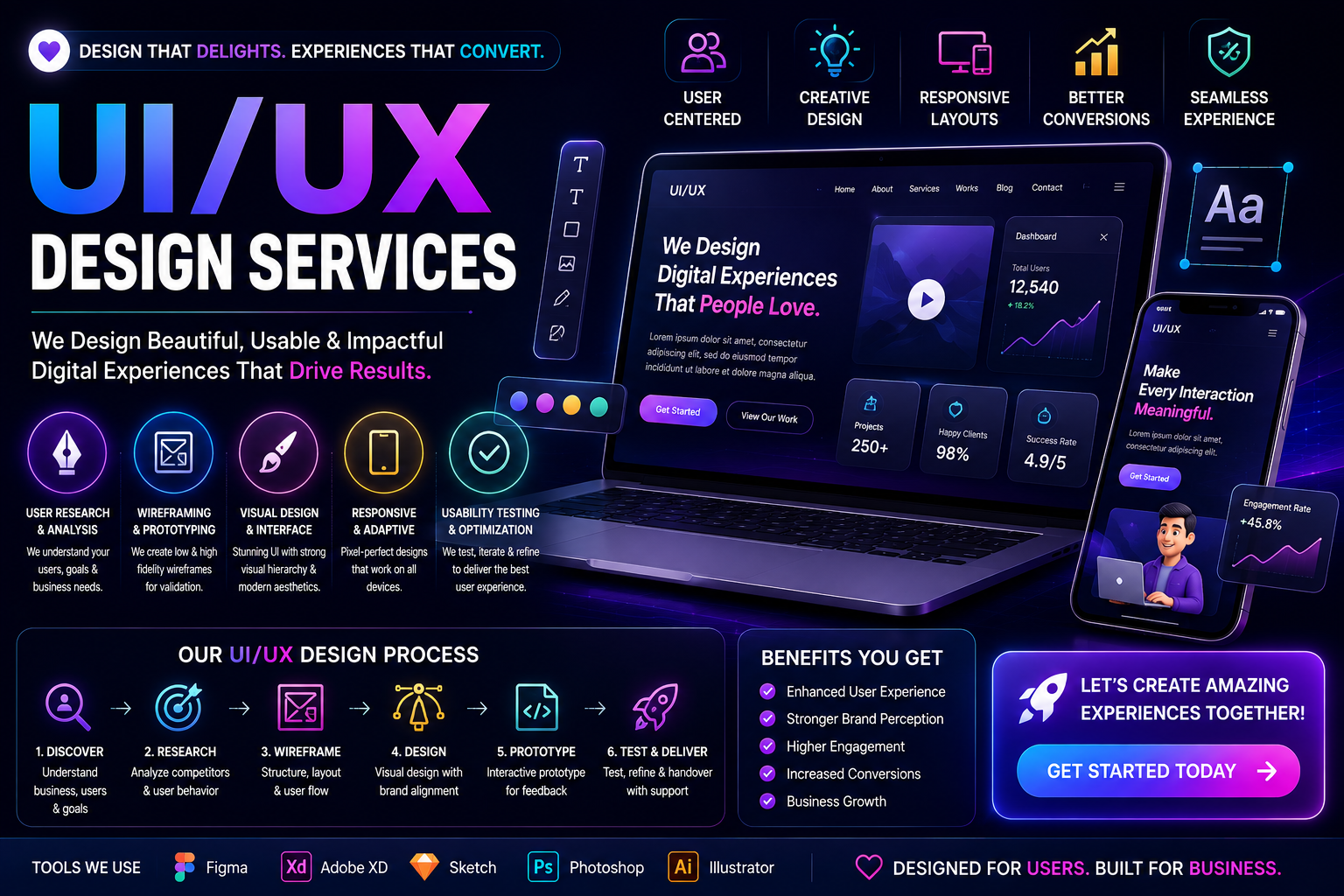
Users have high expectations of web and application design. Digital products should be built fast, mobile, attractive, and easy to navigate. If a business offers quality services and products, but users leave an application because it is poorly constructed or uses slow, complicated, and poor design, then they have not converted to customers. UI/UX Services help businesses overcome this issue.
UI/UX design combines elements of digital design and user-centered design to develop attractive, yet, intuitive, accessible, and useful products in accordance with user expectations. UI (User Interface) comprises the look and feel, graphics, as well as the interaction of the product, while UX (User Experience) comprises the goals of the user and how easily they achieve them while using the product.
At Technoholic, we offer UI/UX Design Services for websites, mobile applications, SaaS, dashboards, eCommerce stores, enterprise applications and other digital products. We provide user research, information architecture, wireframing, visual design, usability, and respPlaceholder termnse design as well as design systems to create digital products that are simple and easy to use.
UI/UX Design is the practice of devising and building a digital product’s structure and design stimuli responsive to the user’s needs and goals so they can interact with the product in a usable way.
UX deals with questions like the following:
UI, for User Interface, has more to do with the visual and interactive elements of design such as the following:
Good UI and UX design, combined, leads to a digital product that looks professional and provides a better user experience.
As the first point of contact most customers will have with a business, websites and apps give users an impression quickly. A confusing interface will lead to low user engagement and few conversions.
UI/UX Design can help a business:
UI/UX design goes beyond making a website beautiful; it is about making the experience effective, relevant, and appropriate for the user, for the goals of the business, and for the user’s needs.
We provide UI/UX Design Services that encompass the entire process of creating a digital product, addressing the needs and goals of a business. Our design process is flexible depending on the needs and requirements of the audience, platform, complexity, and goals of the project.
A business website should have a user experience design that allows visitors to easily comprehend what the company has to offer and how to obtain the company information.
Website UI/UX design can review the following:
Designs that incorporate visual consistency and navigability while maintaining a clear hierarchy of information presented.
Mobile applications have their own unique usability concerns when compared to websites. There are limited screens, important touch interactions, and users want easy navigation.
Mobile applications that utilize UI/UX design may include:
Design that takes into account each mobile interaction and works with different size screens.
SaaS applications are often comprised of dashboards, data tables, forms, reports, and complex workflows all integrated with notifications and settings. Poorly implemented SaaS interfaces can make the software very difficult to use, even when it has great functionality.
SaaS UI/UX design may prioritize:
The focus is on eliminating complex, difficult to understand, and overly cumbersome interfaces.
Dashboards must be designed in a way that allows for the display of a plethora of information without causing user overload. A well designed dashboard leverages the principles of visual hierarchy and information organization.
Dashboard design can consist of the following:
Complex UIs should be designed in a way that surfaces the most used functionalities.
E-commerce UI/UX design is concerned with guiding users across the product finding to checkout journey. Every stage of the shopping experience can impact whether users choose to checkout.
Examples of elements of e-commerce design are:
Designing steps to guide the customer shopping process helps customers find products and helps customers complete purchases.
Landing pages are typically created to address a particular marketing goal such as lead generation, selling, product promotion, or even user registration.
Examples of elements of landing page design are:
The design must create a clear path to the goal to be accomplished while eliminating distractions.
Research helps designers understand the needs, behaviors, expectations, and pain points of users. The amount of research that is necessary depends on the size of the project, as well as existing information.
Examples of research are:
Research can identify the opportunities for improving the structure and usability of a digital product.
A user persona helps design teams understand the needs and expectations of the users.
A persona can include the following:
Personas should be based on research and actual user or market information and should not be assumed.
When we talk about a user journey, we refer to the steps a user takes while on a business’s end or when using a digital product.
An e-commerce user journey could look something like the following steps:
Mapping user journeys can make identifying redundancies and opportunities to improve the user experience easy.
Information architecture is about organizing and structuring pages, features, data, and information to enable users to comprehend the layout and the way different pages and data connect to one another.
A good information architecture helps define the following:
This is especially pertinent for large applications or websites.
Wireframes are a blank layout of a page or a screen without any design.
Using wireframes helps determine the following:
Wireframing can help identify issues the layout of a page may have even before it is designed.
After user flows have been established, high-fidelity UI design fixes up the aesthetics and appearance of the interface.
High-fidelity design focuses on the following:
The design can echo the brand’s principles to ensure a consistent user experience.
With interactive prototypes, stakeholders and designers can get a glimpse of how a website or application will behave, even before coding begins.
A prototype can show:
Usability problems during development can be costly, so prototyping is a great way to uncover them before devoting resources to build the product.
Users access websites and applications in different ways and through different devices with various screen sizes. Responsive design allows interfaces to be used in different ways depending on the display.
Responsive UI/UX Design includes:
Adapting to different sizes does not equal shrinking. Design elements such as spacing, buttons, and forms may be deemed unnecessary and can be removed. Navigation, images, and hierarchical content may need to move to different positions to adapt to smaller screens.
Design Systems are collections of reusable elements and guidelines developed for the consistency of a digital product and interface.
Design Systems can consist of:
Design Systems offer great value for considerable websites, SaaS products and applications with many interfaces.
Optimized UI/UX can help your primary conversions by highlighting the most important actions and interface elements. Conversion doesn’t mean building more buttons. The conversion design relies on user intention and thoughtfully eliminating unessential design elements.
Design can improve:
Many other elements of your site affect your end conversions. For example, traffic quality, overall business process, product-market fit, cost, and offered value.
Form UX can include:
Checkout UX for e-commerce websites can include:
Accessibility should be embedded within the design process rather than added as an afterthought.
Showing text that is too small or dense is not readable.
Designs should not rely on colors as the only differentiating factor.
Designs should be keyboard accessible.
Controls should have proper labels.
Controls should clearly reflect their state.
Every element should be explicitly described.
Accessibility requirements vary based on the project, usability, platform, and applicable standards.
Evaluating whether users are able to achieve primary tasks within a product is the aim of usability testing.
Testing may address whether users:
The findings can be used to remove friction from the interface and design user flows.
A UI/UX redesign should be considered before a complete product rebuild.
Redesigning the user interface and improving the user experience can solve many problems with usability and design.
A redesign can address:
The approach taken largely depends on user feedback and business objectives.
A UI/UX audit looks at a digital product and identifies issues related to usability, navigation, and interaction. An audit looks at the following:
These findings will show businesses where the problems are and where they need to focus instead of redesigning everything.
Technoholic has designed a step by step process to help in the design phase of a product that can be tailored to how we imagine the process will work best for the project.
We get an understanding of the business, end users, product, competitors, all the technical requirements, and expectations.
We analyze current users, available designs, competitors, the business, and needs to find design opportunities.
Page, feature, user flow, and content structure, along with navigation, are initialized.
The layout, structure, design are added to the wireframes.
The design is reviewed for navigation, consistency, usability, accessibility, and overall user experience.
The design is ready for development.
Wherever needed, we assist during the development process to verify the final implementation remains in line with the design.
UI and UX Design are applicable across multiple industries. Every digital product needs to be designed with an interface that allows the user to interact with it.
Technoholic provides UI/UX design solutions for:
We personalize design based on user requirements, industry verticals, the product’s complexity, and the company’s objectives.
A successful digital product helps business owners meet their goals while addressing the doubts and concerns of potential users. It is important to address challenges such as:
A rigorous process can help identify and correct these challenges during the design stage of a product.
We believe each UI/UX design solution must incorporate interaction design, visual design, simplicity, and the product’s functions and goals.
We offer UI/UX design services that include:
We don’t offer a one-size-fits-all design. We design based on the requirements of the project and the organization.
When businesses utilize UI/UX design, they can build digital products that are easier to understand, navigate, and engage with.
Some benefits include:
These results can vary based on the product being built, the company’s business model, and the implementation.
UI/UX design helps other digital business activities. Search engine marketing (SEM) and Search Engine Optimization (SEO) may help drive website traffic. However, these pages also need a clear, simpler user experience in order to be effective. Investing in the development of your UI/UX may aid and enhance your:
UI/UX design helps support engagement and sales for your product offering.
UI/UX design can help create user-friendly products that achieve the desired outcome and goals for businesses. Whether it’s a website, app, SaaS product, or a dashboard, UI/UX design can optimize product usability in various ways.
Designs aren’t complete without the usability, information architecture, interactions, and visual hierarchy of a product.
At Technoholic, our UI/UX Design Services include UX research, information architecture, wireframing, UI design, prototyping, responsive design, design systems, usability enhancements, UI/UX audits and redesign services.
We, at Technoholic, can help you improve your UI/UX design for your new website, mobile applications, SaaS platforms, updates to existing products, or the redesign of your e-commerce store in order to provide a better user experience. We can help you with creating a design that is user focused along with your business goal in mind, while also employing design consistency.