
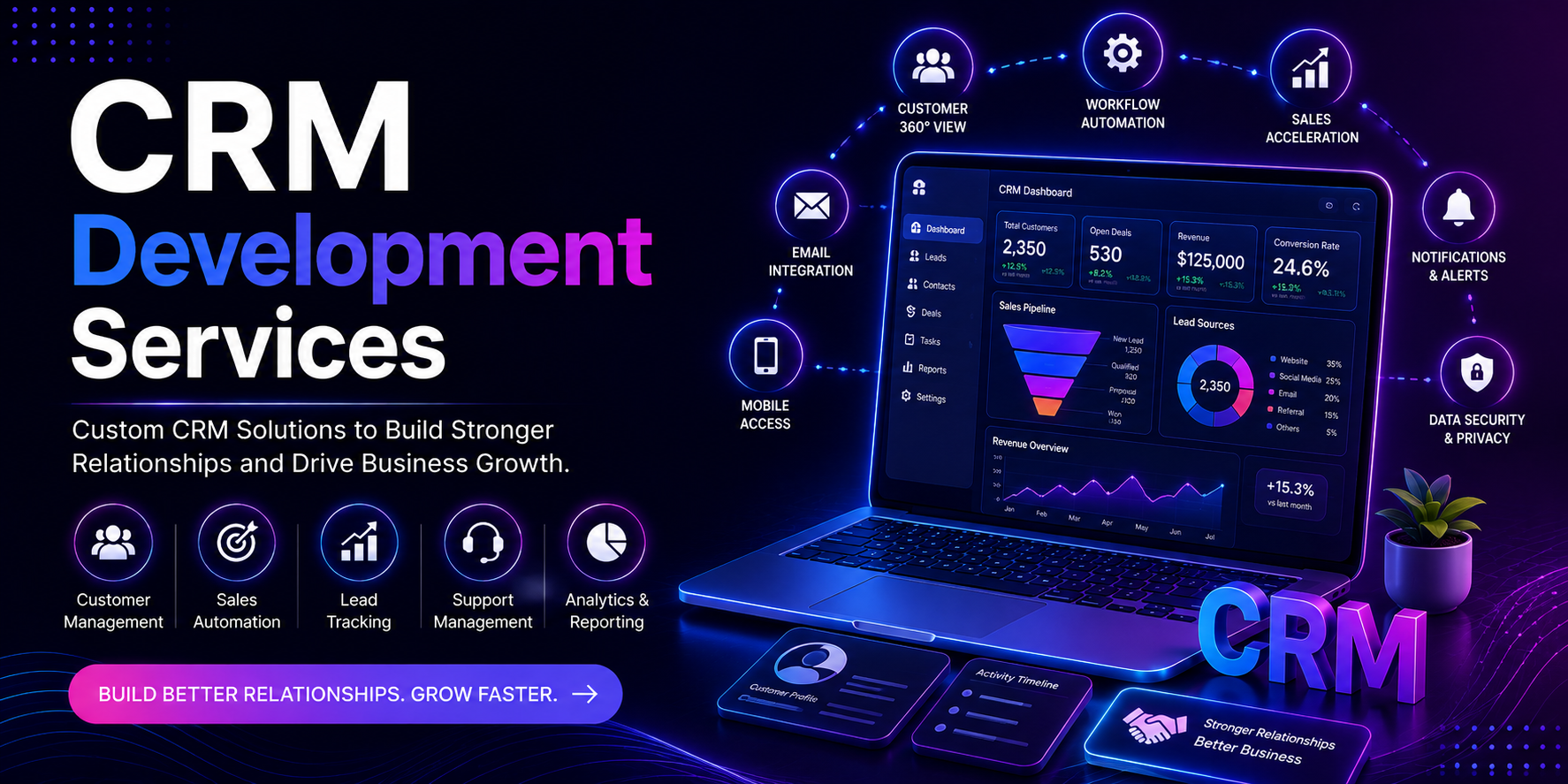
Since fragmenting information across numerous tools becomes problematic for businesses as they scale, managing customer information, sales activities, leads, communications, and follow-up tasks can create a lot of difficulties for most businesses. Increased customer information and lead volumes make an organization need an integrated system to handle customer information and to assist its teams in delivering relationship tasks optimally. This is where CRM Development Services come into limelight.
A Customer Relationship Management (CRM) system aids businesses in consolidating customer information and in managing leads and tracking sales activities and follow-up tasks, as well as tracking customer interactions and ultimately bringing customer interaction and team communications to an improved level. An optimal CRM system allows businesses to gain a lot of visibility into their sales processes and activities while using efficient tools for customer relationship management.
At Technoholic, we focus on developing CRM Solutions in accordance with the unique requirements of our clients, and offer CRM Development Services. Our CRM Development focus is on creating tools that assist businesses in enhancing sales and customer relationship management.
CRM Development consists of designing, developing, and implementing Customer Relationship Management Systems. A Customer Relationship Management System (CRMS) stores customer information in an organized manner, and offers customer lead and sales information, communication, follow-up, support, and customer management tasks and activities.
A modern CRM can connect various stages of the customer journey unlike a simple customer database. Modern CRM systems begin their engagement from the sale lead stage, and stay with and assist teams after the sale and during customer support.
Based on a company’s industry, sales process, team structure, customer journey, and operational needs, a custom CRM development can be done. A custom CRM is useful for companies who need functionalities beyond the commonly available CRM systems.
A CRM is a system that captures customer and business data in a single system. As a new lead is created, the collected data can be keyed in or moved automatically to the CRM. The lead can be managed by a sales representative and follow-up calls can be scheduled and notes can be added. The sales representative also has the ability to advance the lead through the sales stages and close the lead.
Once a customer is sold, a CRM system can continue to collect and store data surrounding the customer support interactions, purchases, customer support requests, communication, and other customer activities. This connected customer history can be viewed by all authorized employees when needed.
A typical CRM workflow includes:
Through this workflow, customer data can be corralled in one system of record, and helps employees know customer data so that they can focus on building and enhancing customer relationships.
CRMs can vary by the unique needs of a business and business processes. At Technoholic, CRMs can be tailored to support each organization’s unique processes.
A CRM system should support lead management. The lack of a centralized system can result in leads being lost or followed-up on at a later time.
A lead management system captures leads, assigns leads, tracks lead sources, and manages lead status, scheduling of follow-up activities, and qualifies leads. Once leads have been converted, the status can also be tracked with the system.
A CRM has the ability to consolidate all customer-related data (both profile and interaction) for a business. In today’s world, the information can get dispersed between emails, notes, documents, applications, etc. A CRM brings all of this data together.
With customer data in an organized format, sales and support can offer more efficient and consistent support to customers.
The sales pipeline breaks down the sales process into discrete steps for a business. These steps can be configured to the business’s sales process workflow.
A CRM can show sales representatives the sales stages in a visual or structured way to aid the understanding of what is an active opportunity versus a pending follow-up or potential conversion.
Sales pipeline functionality typically includes:
This sales activity data can help managers see the statuses or stages of opportunities in the pipeline and where potential “bottlenecks” may be occurring.
In many sales processes, follow-up is a consistent activity. A CRM makes it possible to manage and organize follow-up calls, meetings, and other tasks for customers.
Sales reps can even manage tasks to the extent of scheduling follow-up calls and meetings in the CRM as reminders instead of relying on personal calendars and notes.
In the course of business, a company may interact with customers through many different means of communication. A CRM can help organize communication with customers so that all communication related to that customer is available in their customer account.
Depending on how sales teams engage with customers, CRM systems can help integrate:
CRM systems can help keep communication organized and coordinated with related customer information.
Another symptom of a successful implementation of CRM systems is customer support and the post-purchase customer relationship. CRM systems can hold customer information and support the tracking of requests, communication with the customer, and records of progress of service related activities.
Customer support functionality may include:
Connecting sales and support data can provide businesses with a complete view of the customer relationship.
CRM development is more than just storing customer data. CRMs organize customer related data, and provide teams with data and tools to manage customer relationships.
A well made CRM can help a business with a number of things.
Customer data is usually in spreadsheets, emails, voice messages, notes, emails, and multiple softwares. A CRM makes all of the customer data convenient and central for user management.
A CRM allows a sales team to organize and track sales leads, opportunities, and activities. Sales team management can view the sales team activity and view the sales pipeline.
If all customer data and interactions are recorded, employees can communicate with customers in the appropriate manner, more effectively, and provide better customer service.
CRMs can automate the team-wider assignments, reminders and notifications to update the status, and send reminders.
If sales, marketing, customer service, and management teams work in a shared single CRM, then customer related data is at the fingertips for the appropriate teams.
CRM reports and dashboards can help managers understand their sales performance, lead sources, customer behavior, conversion trends, and various other important signals in their business.
At Technoholic, we begin our CRM development by gaining an understanding of how a business manages its customers and the sales process. Businesses have a wide variety of lead sources, sales cycles, team structures, customer journeys, and reporting frameworks. Building a CRM should be based upon the actual operations of a business.
The first step entails gaining a deep understanding of a business’s operations, sales process, customer journeys, the challenges the business faces, and the objectives the business hopes to achieve.
We also analyze the business to gain an understanding of the required CRM features, as well as how the various sections and components of the system will interact.
This step outlines how CRM technical architecture will be built as well as how the required modules, workflows, integrations, permissions, and the overall scalability of the system will be built.
This planning step creates a solid foundation for future development in a CRM.
Clarity and usability take precedent when building a CRM as they can dramatically improve the overall platform.
The approved requirements are implemented in the chosen modules and features of the CRM to be developed. Also, custom workflows, dashboards, automation, integrations, and role-based CRMs may be added.
The CRM is tested across different workflows and user roles to look for issues with functionality, integrations, and usability as well as security issues.
Once the CRM system has been successfully tested, it is deployed to the required environment and then configured for the authorized users.
An organization’s CRM requirements have the tendency to change as the business grows. There has to be a system providing security, updates, and maintaining stability to match the changing requirements of the business. This system requires constant support and maintenance.
There are many standard features that ready-made CRM solutions provide and a business with an uncomplicated customer management process is sometimes sufficient to use one of these solutions. However, some businesses require specific automation, integrations, processes, and reports.
Custom CRM Development provides greater flexibility of choice and control to a business. Instead of fitting the business processes to the available CRM solutions, a business can develop its own CRM to fit its process requirements.
It can offer:
The architecture can be designed to be scalable.
Custom CRM Development is most suitable for businesses that have unique processes and/or complex customer journeys.
Automation of a CRM is a big efficiency booster over having to perform every single action manually. If a condition is met, the software can perform a battery of tasks such as; assigning a lead to a sales person, marking the lead record as un-followed, updating the lead status and notifying the sales person of the new lead.
All text submitted to TurnItIn for originality checking may be transferred to a third party for processing. By clicking “Check for originality,” you agree to these terms.
CRM automation can help with:
The automation rules can be adapted to fit the business process.
CRMs can reduce data entry by connecting with other business systems in use. It can also connect with other systems to improve business processes.
There are several types of systems that may integrate with a CRM based on business needs that may include:
As an example, a CRM can be set up to save leads from website contact forms automatically rather than manually.
The data that may be relevant to managers and/or teams is presented on CRM dashboards, resulting in no need to prepare numerous reports.
CRM dashboards can help businesses with:
The CRM dashboards can be customized to the data each employee or department needs.
In the development of CRM systems, role-based access is important, as CRMs house valuable client and business data. Not all employees need to access all functionality of CRMs and client data.
Based on the role, the permission a user is given may be set to view, create, edit, delete, or manage data.
Different access levels can be assigned to:
This allows organizations to manage the way customer information is accessed and how the system is utilized throughout the organization.
Cloud-based CRM Systems enable authorized users to access customer and sales data through an internet-based system. This makes cloud-based CRMs effective for businesses that have one or more of the following: Remote employees, multiple offices, field sales teams, or distributed operations.
Cloud CRM provides:
The ultimate configuration is dependent on the organization’s security, performance, integration, and scalability demands.
CRM Systems can be built to meet the needs of almost every customer focused business since they all need a way to manage leads and customers and to track communication and relationships in a systematic manner.
CRM development can be of value to:
The CRM modules and workflows can be adapted to meet the sales cycle and customer experience journey of each industry.
As CRM usually becomes part of the workflow for sales, marketing, support, and management teams, developing CRM promptly requires careful planning. Poor requirements or a complex user interface can lead to poor adoption of CRM.
Common issues include:
A methodology that is flexible and structured will help address issues when a system is being built and implemented.
Our experience leads us to understand that CRM should complement the operations of the business and adapt to the existing processes and not force a complete shift. Thus, our emphasis is on practicality and scalability in alignment with the goals of the business.
Our professional services include business, user experience, and automation and integration work combined with custom-built software.
Clients select us for:
The goal is to create a CRM that captures customer data in a single center of unified operations for the purpose of improving sales processes through organization and the reduction of automation tasks for increased visibility of customer centric operations.
CRM Development Services offer businesses centralized and organized solutions for customer data and records of sales activities and customer interactions. Systems such as CRMs improve sales operations and internal processes for the purposes of customer retention and sales goal attainment.
A CRM must do more than manage contact records. It should embrace the full customer lifecycle from lead nurture and qualification, through sales, communication, support, and the long-term management of the customer relationship.
Develop a CRM to help you organize your customer data, or refine an existing CRM to incorporate customized advanced workflows and integrations, Technoholic has the expertise to customize a CRM solution according to your specific business and future growth needs.