Websites need to be flexible and scalable to meet business needs. This is where Trusting Technoholic comes into play. Modern businesses need to manage changing content, new services, published products, pages, images, blogs, users, and websites in a timely manner without the need for a developer to perform every small task. A CMS can assist with this by providing a control panel to manage the content and various parts of a website.
CMS Development services handle design, development, and maintenance of CMS according to the business needs. CMS is useful for businesses websites, blogs, e-commerce, education, news, corporate, membership and other digital application.
Technoholic is a professional CMS Development Service, geared towards helping our clientele build flexible, scalable, secure, and easy to manage websites. From CMS-based business websites or other custom CMS platforms, to WordPress development, e-commerce CMS solutions, custom dashboards, integrations and ongoing maintenance we provide solutions catered to our clients’ business and technical requirements.
A Content Management System is a tool that facilitates the control, organization, editing, and publishing of digital content while eliminating the need to modify the underlying website code.
A CMS offers tools for managing:
Instead of manually coding individual website files to update your site content, CMS allows authorized users to update content through its dashboard.
One of the biggest reasons why businesses prefer a CMS, is because of how frequently they must change their websites. New services are launched, old information is changed, new blogs are published, products are added, and promotional content needs to be updated. Without a specific CMS for each of these, businesses might have to rely on their developer with each content change.
A CMS makes it easy for businesses to publish new content and update old content on their websites. A good CMS can help support websites in publishing new content, updating web pages, and allowing business control over blogs and product pages.
A CMS also helps businesses:
The capabilities of a CMS will depend on its platform and any customization that has been done.
Technoholic offers complete CMS development, from adjusting an existing CMS to developing completely new CMSs.
In cases when CMSs cannot be configured to meet the business’ needs, a custom CMS can be developed to meet the needs of a business’ content and workflows.
Custom CMS development might include:
Custom CMS development can be done to align with the specific functional requirements of a business.
Of the available content management systems (CMS), WordPress is easily the most popular and flexible to work with. It is built as a framework and can be modified with over 58,000 plugins, theme development, and custom programming.
WordPress CMS development may include:
At Technoholic, we can customize all aspects of your WordPress website, from the design and programming to the content structure and layout of pages to meet your exact business requirements.
For businesses utilizing Elementor, CMS development may include building reusable website templates and content software to help administrators manage their content.
Elementor-based CMS solutions may include:
This may help maintain uniformity of website designs while allowing content to be managed from the WordPress dashboard.
A custom CMS is required if a business is in need of a specialized content management system as opposed to a standard website editor.
A business may need a system to manage:
A custom CMS can be configured to align with a business’s content and workflow structures.
Creating a website for a business is easier than ever with the help of a Content Management System (CMS). A CMS empowers a business to have a website built and managed internally without the need for a high level of technical expertise.
Business websites built using a CMS may contain:
A CMS allows the administrator to manage the content of their website while retaining the overall design of the website.
Dynamic CMS development lets website content be stored and managed using structured data as opposed to building every single page manually.
For example, if a business has 50 services, a single services template can be created in the CMS with individual service data.
The content which can be managed dynamically includes:
This technique helps manage and maintain large websites.
For WordPress websites, custom post types can be used to create advanced content structures compared to the default posts and pages.
Custom post types can be:
Custom post types allow businesses to design content in an organized manner and craft different content types in different templates.
The need for e-commerce websites is usually the need for a management system for products, categories, pricing, images, inventory, orders, customers, and similar data. A CMS can provide an interface to provide tools to manage these elements.
An e-commerce CMS can support:
For WordPress websites, WooCommerce can provide e-commerce functionality integrated with the CMS.
Building and updating websites that use a lot of content is easier with a tool built for managing and publishing content. Publishers can use CMS tools to manage articles and other publishing content.
Some examples of publishing-specific CMS tools include:
A publishing CMS streamlines content publishing.
Many educational institutions have to publish content such as courses, faculty information, calendar events, and educational content.
An educational CMS can help:
The CMS can be used to publish content based on the structure and requirements of the organization.
News websites contain a lot of constantly changing information. The right CMS helps editors to organize published information about articles, authors, media, and publishing workflows. News CMS includes:
For high-volume publishing, the CMS should be designed based on performance and scaling needs.
Many businesses appoint several content managers, and not every user should have access to all administrative tools.
Role based access control can be incorporated within CMS development.
For example:
Permissions can be configured based on the CMS and the organization’s needs.
Several aspects of a site’s content, configurations, and possibly data that can be sensitive need to be managed by a CMS’s administrative system. Design and sustainability for these types of systems need to incorporate security considerations and measures.
Some of the important features for security might be:
Some CMS designs incorporate some, if not all, of the above features. Security should be integral to the design.
Most CMSs utilize a database to store site content as well as other structured data.
This includes:
A carefully designed database will help manage site content efficiently as the content grow.
CMSs typically need to integrate with external applications to carry out their intended functions. APIs enable a CMS to interact with external systems.
Implementing APIs allow business systems to communicate with one another.
Other systems will be required to be integrated with a CMS.
This may include:
Integrations depend on specific requirements of the CMS and external systems.
SEO management has to be as simple and as intuitive for both businesses and marketing teams. A CMS should make it easy for users to manage and edit SEO-related elements.
The SEO-related features that CMS may have include:
The CMS configuration alone is not akin to ranking high on search results.
Current websites must function on devices of all sizes. A CMS has to consider using a responsive design for their projects.
Mobile friendly CMS begins with:
Dynamic management of content means that templates have to look good regardless of the screen size.
Increased website usage means that increased content and media, database records, plug ins, and integrations mean that a website may take longer to load especially if the CMS platform was not optimized.
Optimizing performance may include:
Analysis for performance has to take into consideration volume of content, website traffic, and the tech.
Businesses have to move their websites to different CMS platforms for various reasons like insufficient and outdated technology, poor performance, lack of certain functionalities, and changing business requirements.
The following services may be included under migration services:
Migration should be planned in detail to ensure no loss of content, broken links, or functionalities.
Replace the existing website with a newly built website only as a last resort. Often, the CMS can be upgraded or restructured to fulfill the desired goals.
CMS upgrades comprise:
The most appropriate option depends on the website and its technical architecture.
Following development, CMS websites need to be maintained to ensure security and functional stability.
CMS maintenance includes:
Regular maintenance helps to eliminate avoidable support calls and adjust the CMS in accordance with the changing requirements.
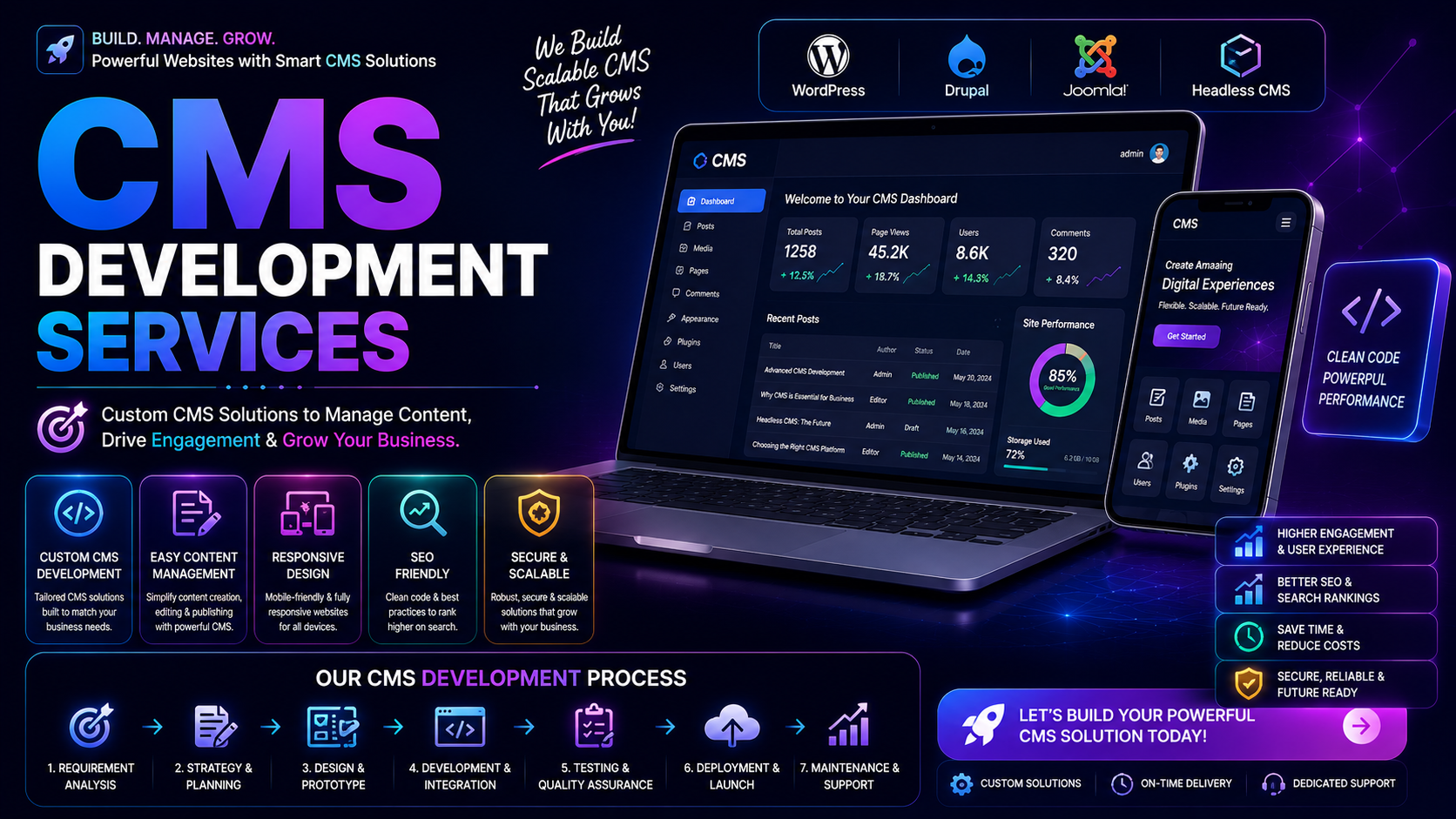
We follow a disciplined process for CMS development and customization.
First, we conduct a requirement analysis covering the business, audience, the structure of content, the users, the workflows, the functionality, and the necessary integrations and the extended future requirements.
Next, we determine the most appropriate course of action to develop the CMS—whether an existing CMS, a customized CMS, or a completely new, custom-built CMS approach.
Lastly, we determine the structure of the information to be included on the site and define the relationships between the content types and categories. We also design the navigation, content, and user roles.
You design the administrative interface and website experience based on usability and business requirements.
We configure, customize, or develop the appropriate CMS as per the approved architecture.
As required, we build types of dynamic content, templates, custom fields, taxonomies, and content relationships.
We integrate the required APIs, services, CRMs, payment systems, analytics, and other allied services.
We test the CMS for usability, responsiveness, security integrations, permissions, and performance.
After testing and approval, we deploy the CMS to the live environment.
Ongoings services can include support requests, improvements in performance and fulfillment of security assurance needs, and enhancements for additional functionality.
The balance of usability, flexibility, and performance along with security concerns is key to designing a successful CMS. A few of the problems encountered are: poor content structure, complex admin interfaces, slow queries, integrations, poor mobile responsiveness, poor performance, and lack of flexibility and security.
By having a good CMS architecture, many of these problems are eliminated and future development is more straight forward.
Our experience in designing and developing CMSs leads us to understand the importance of striking the right balance between a CMS’s functionality and ease of use.
The ultimate goal of our CMS Development Services is to offer you CMS solutions that are simple, scalable, and aligned with your business’ long-term goals.
Professionally developed CMS systems allow businesses more control over their websites and less effort for routine content management.
Benefits include:
The positive effect of a CMS on a business’s digital infrastructure is undeniable. Marketing teams and content publishers use it, SEO teams use it to manage pages, Sales teams use it to manage services, and e-commerce teams use it to manage products.
A CMS in place can support:
For businesses with continuous content publishing and/or updating, a CMS with flexibility can improve the efficiency of digital operations.
CMS Development Services assist businesses with creating custom websites and digital tools that are designed to be manageable, adjustable, scalable, and editable. CMS technology has the ability create the first layer of digital structure for a wide variety of digital content such as business websites, blogs, online stores, publishing, educational, and even corporate systems.
Developing a quality CMS solution requires a lot more than just installation of a CMS. It requires attention to the structure of content, user roles, templates, databases, integrations, security, performance, and scaling.
Here at Technoholic, we provide a variety of professional CMS Development Services that include the development of custom CMS solutions, WordPress, Elementor, dynamic content systems, e-commerce CMS, API, integrations, CMS migrations, security, optimizing performance, and providing CMS maintenance.
We offer the design and development of new CMS websites and the conversion of existing websites into dynamic content management systems. We can build a custom CMS solution that is designed to fit your content, workflow, technology, and your business needs.